Online Electrical CAD Software
SchematicStudio is electrical CAD that runs in your web browser. Draw electrical schematics and wiring diagrams, manage cables and terminals, lay out the control panel and produce a bill of materials, with nothing to install and your projects saved to your account.
Free plan with up to 2 schematic sheets per project. Pro is £14.99 a month, and every new account starts with 30 days of Pro.
Why use electrical CAD in the browser?
Nothing to install
Sign in and draw. There is no installer, no licence file and no update to run, and it works on any computer with a modern browser.
Your work follows you
Projects are saved to your account, so you can pick up a drawing at the office, on site or at home, and your parts library and symbols come with you.
Always the current version
New features appear as soon as they are released, for everyone, without anyone on the team being a version behind.
What you can do with it
Draw schematics and wiring diagrams
Numbered sheets, smart wiring that snaps to pins, wire numbers, cross-sheet references, title blocks and a contents page that builds itself.
Relays, contactors and contacts
Place a coil, give it contact sets, then place its contacts anywhere in the drawing with the terminal numbers supplied by the coil.
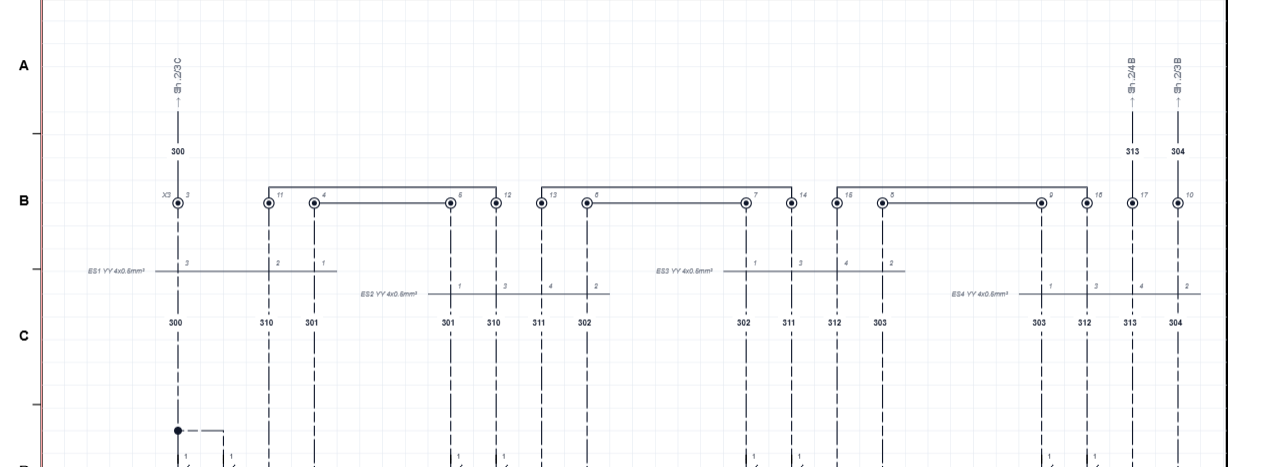
Cables and terminals
Group wires into cables, assign cores and core colours, keep a cable library, and generate terminal strips from the markers you have placed.
PLC I/O
Build PLC modules with addressed inputs, outputs and supplies, wire to them, and get a PLC I/O schedule that stays up to date as you draw.
Your own symbols
Draw custom components in the Symbol Studio and keep them in libraries you can import and export.
Revisions and BOM
A revision log with a revision table on each sheet, and a live bill of materials that exports to CSV.
Free electrical drawing software, from a UK company
You can use SchematicStudio for nothing, with no card and no time limit. The Free plan is a real drawing tool, not a demo that stops working, and it is built and supported in the UK, with prices in pounds.
- Up to 2 schematic sheets per project, enough for a single circuit, a small machine or a quote.
- Smart wiring that snaps to pins, with wire numbers and net labels.
- A live bill of materials that exports to CSV.
- Title pages, contents pages and A2, A3 and A4 title blocks, with a revision table on each sheet.
Every new account also starts with 30 days of full Pro, so you can try cable management, terminals, PLC I/O and panel layout before deciding. When the 30 days end you keep the Free plan and your drawings. Pro is £14.99 a month if you want more.
Free and Pro compared
| Feature | Free | Pro |
|---|---|---|
| Schematic sheets per project | Up to 2 | Unlimited |
| Smart wiring, net labels, live BOM, title and contents pages, revisions | Yes | Yes |
| Cable management, core colours and cable library | – | Yes |
| Symbol Studio and symbol libraries | – | Yes |
| Terminal block generator, PLC module creator and PLC I/O schedule | – | Yes |
| Panel layout with DXF footprints, DIN rails and trunking | – | Yes |
| Price | £0 | £14.99 a month, 30-day free trial |
See it: a direct-on-line starter in one sitting
A full walk-through, start to finish: placing the contactor, overload and motor, wiring them up, adding terminals, then giving the coil its contacts so they appear on the sheet with the right terminal numbers. It has captions and no sound.
Get started in a few minutes
- Create an account. It takes a minute and needs no card.
- Draw your first sheet. Place symbols, draw wires and let the numbering follow.
- Add what the job needs. Cables, terminals, PLC modules, then the panel layout.
- Issue it. Print or export the drawings, the BOM and the schedules.
Common questions
What is online electrical CAD?
Online electrical CAD is electrical drawing software that runs in a web browser instead of being installed on your computer. With SchematicStudio you draw schematics and wiring diagrams, manage cables and terminals and produce a bill of materials, and your projects are saved to your account.
Do I need to install anything?
No. SchematicStudio runs in your browser, so there is nothing to install or update. Sign in on any computer and open your projects.
Is there free electrical drawing software in the UK?
Yes. SchematicStudio is a UK electrical drawing tool with a Free plan that has no time limit: up to 2 schematic sheets per project with smart wiring, a live BOM, title and contents pages, standard A2, A3 and A4 title blocks and revision tracking. Prices are in pounds, and every new account also gets 30 days of Pro with no card required.
Is there a free version?
Yes. The Free plan lets you draw up to 2 schematic sheets per project with smart wiring, a live BOM, title and contents pages and revision tracking. Every new account also gets 30 days of full Pro access with no card required.
What does Pro add?
Pro removes the sheet limit and adds cable management, the Symbol Studio and symbol libraries, the terminal block generator, the PLC module creator and PLC I/O schedule, and panel layout with DXF footprints, DIN rails and trunking. It costs 14.99 pounds a month.
Can I draw a control panel schematic?
Yes. Draw power and control circuits across numbered sheets with wire numbering, terminal strips, relays and contactors with their contacts, and cross-sheet references.
Can I get a bill of materials?
Yes. The BOM is generated from your drawing as you work, grouped by designator and model number, and exports to CSV.
Are my drawings private?
Your projects are saved to your own account and are not shared with other users. See the privacy policy for the details.
Try it on your own drawing
Every new account gets 30 days of full Pro access with no card required, then you can carry on with the Free plan.